Korg nanoKONTROL Series
Jump to navigation
Jump to search
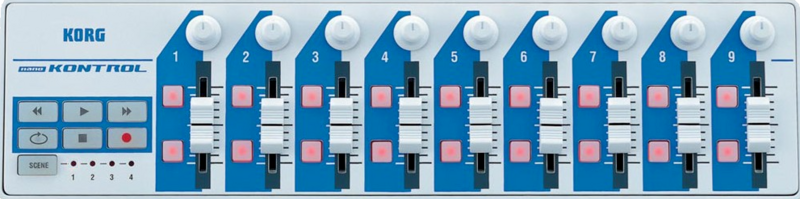
1 Korg nanoKONTROL
1.1 ZynMixer driver

Not supported yet!
2 Korg nanoKONTROL 2
2.1 ZynMixer driver

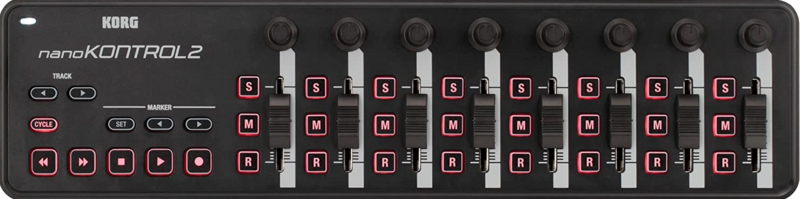
This Korg nanoKONTROL2 driver maps the mixer screen and transport buttons basic functionality. Chains are numbered from left to right as shown in the zynmixer screen. Note that these numbers are not MIDI channels!
2.1.1 Common buttons
- Cycle: SHIFT mode button. Toggle alternate functions as described below.
- Track Left: UI Left arrow
- Track Right: UI RIGHT arrow
- Marker Set: UI SELECT button
- Marker Left: UI UP arrow
- Marker Right: UI DOWN arrow
- Transport FRWD (Left): Bank 1. Strips assigned to chains 1-8. When light, it acts as the UI BACK button.
- Transport FFWD (Right): Bank 2. Strips assigned to chains 9-16
2.1.2 NORMAL mode
- Transport STOP: Stop audio play and reset play position.
- Transport PLAY: Start/Resume/Pause audio play. Light indicates playing state.
- Transport REC: Start/Stop audio recording. Light indicates recording state.
- Strip 1-8: Chain's mixer control, depending of bank selection
- Knob: Chain's balance
- Slider: Chain's volume
- M: Chain's mute switch
- S: Chain's solo switch
- R: Red light indicates active chain. Push to set active chain.
2.1.3 SHIFT mode
- Transport STOP: Stop MIDI play and reset play position.
- Transport PLAY: Start/Resume/Pause MIDI play. Light indicates playing state.
- Transport REC: Start/Stop MIDI recording. Light indicates recording state.
- Knobs 1-8: Available for engine control (MIDI learning).
- Strip 1-7: Chain's mixer control, depending of bank selection
- Slider: Chain's volume
- M: Chain's mute switch
- S: Chain's solo switch
- R: Chain's recorder arm switch
- Strip 8: Main mixer control
- Slider: Main volume
- M: Main mute switch
- S: Global solo indication. Switch does nothing.
- R: Main recorder arm switch